Add-Ons
1. Holder (General Object Holder End-Effector)
Overview
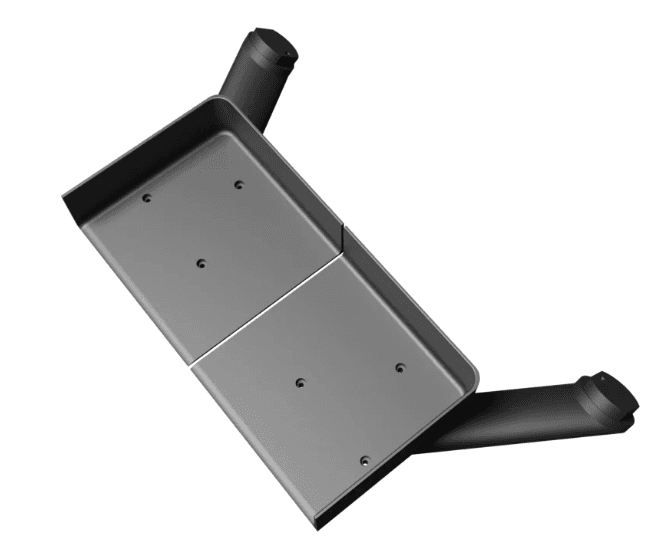
The Holder is a simple end-effector designed to carry lightweight everyday objects using BonicBot A2’s arm.
Description
Mounted directly on the robot’s hand, this holder provides a flat and stable platform for placing small items such as cups, small tools, markers, packets, or similar lightweight objects. It is ideal for demonstrations where the robot needs to carry or deliver items from one point to another.
Installation
- Remove any existing end-effector if attached.
- Align the holder with the mounting slot on the robot’s hand.
- Secure it using the provided screws or mounting hardware.
- Lightly move the arm to confirm the holder is stable and firmly attached.
Usage
- Use the robot’s arm movements to lift, carry, and place lightweight objects.
- You can also train a sequence such as pick-up → carry → drop and trigger it through the Bonic.ai interface for automated tasks.
- Always ensure the object is balanced on the holder.
Note: Avoid heavy, large, or unstable items to maintain smooth and safe operation.
2. Gripper
Overview
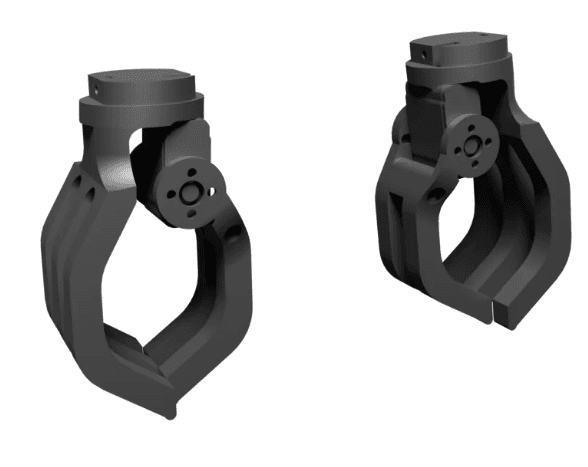
The servo-controlled gripper allows BonicBot A2 to pick up and hold various lightweight objects such as small balls, cubes, or stationary items.
Description
This add-on attaches to the robot’s arm and uses a servo motor to open and close its jaws. It is ideal for interactive tasks and basic object sorting operations.
Installation
- Remove the existing end-effector.
- Mount the gripper onto the arm’s end-effector slot.
- Connect the servo cable to the appropriate controller port.
- Power on the robot and run calibration if required.
- Verify that the gripper opens and closes smoothly.
Usage
- Use manual or app-based gripper controls to pick and place objects.
- Suitable for tasks involving balls, small toys, or lightweight shapes.
Note: Do not force the gripper beyond its natural movement range to prevent servo strain or damage.
3. Joystick Controller
Overview
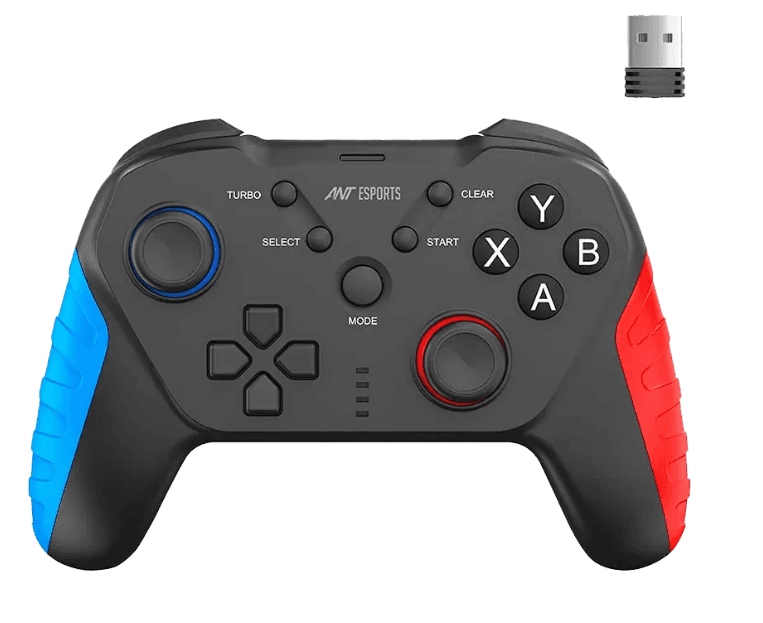
The remote provides quick, Bluetooth-based control of BonicBot A2, enabling responsive manual operation for basic navigation and movement tasks.
Description
This joystick-style remote communicates with the robot via Bluetooth and pairs with the onboard receiver module. It offers directional control for forward, backward, left, and right movements, making it suitable for live demonstrations and real-time mobility testing.
Installation
- Power on BonicBot A2.
- Enable Bluetooth on the robot receiver module if required.
- Pair the remote with the robot following the Bluetooth pairing instructions.
- Verify connection by performing a basic movement test.
Usage
- Control the robot in Remote Mode using joystick movements.
- Ideal for Bluetooth-based demonstrations, navigation practice, and motor responsiveness testing.