Welcome to BonicBot
Professional Humanoid Robots — AI-powered conversational agents, autonomous navigation, motion sequences, and comprehensive programming support across the full BonicBot robot family.
BonicBot is a family of advanced humanoid robots designed for education, research, hospitality, and professional applications. From compact desktop models to full-height autonomous mobile platforms, BonicBot makes cutting-edge robotics accessible to institutions, businesses, makers, and researchers worldwide.
Get started
New to BonicBot? Follow the getting started guide to set up your account, connect to your robot, and begin operating it:
The guide covers account setup, connection modes, driving, AI agent conversations, motion sequences, mapping, navigation and troubleshooting — for all robot models.
The robot family
BonicBot ships in three series. Each is available in a Lite variant (standard operation) and a Pro variant (adds autonomous navigation with LiDAR and an onboard processor):
| Series | Description | Chest Display | Navigation |
|---|---|---|---|
| BonicBot A2 | Compact educational humanoid on a mobile base | Optional add-on | Pro variant |
| BonicBot S1 | Mid-size humanoid for education and reception | 12.1” touchscreen | Pro variant |
| BonicBot M1 | Full-height humanoid for enterprise and hospitality | 12.1” touchscreen | Pro variant |
BonicBot A2
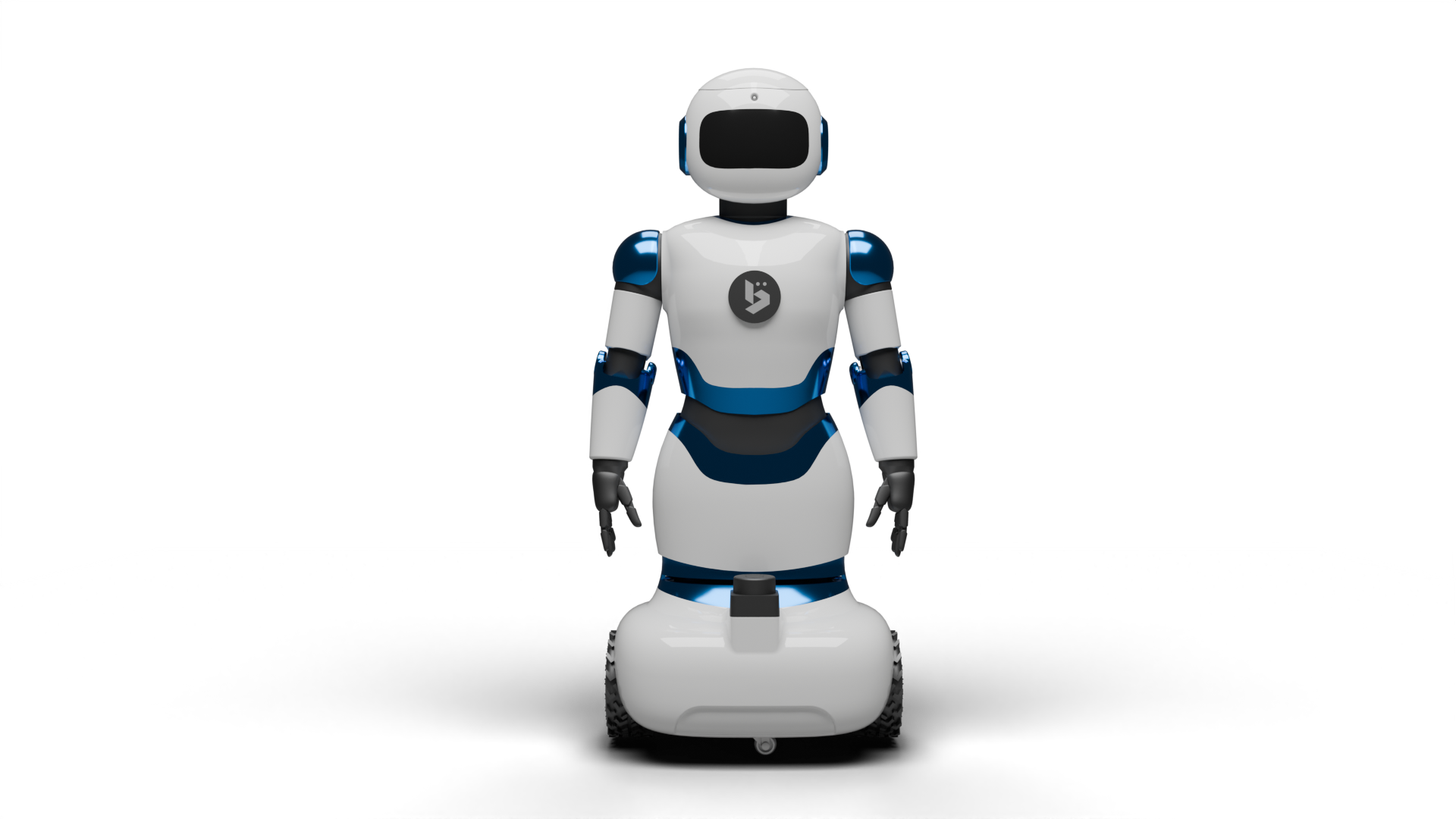
The compact educational mobile humanoid built on a full ROS 2 stack. Features professional-grade SLAM and Nav2 navigation (Pro), a rich Python SDK, modular 3D-printed body, LED matrix face display, and smartphone-powered innovation.
Variants: A2 Lite · A2 Pro
Primary interface: BonicBot Controller App (Android) or BonicOS with add-on
Development: Python SDK · ROS 2 · Blockly · Jupyter Notebooks
BonicBot S1
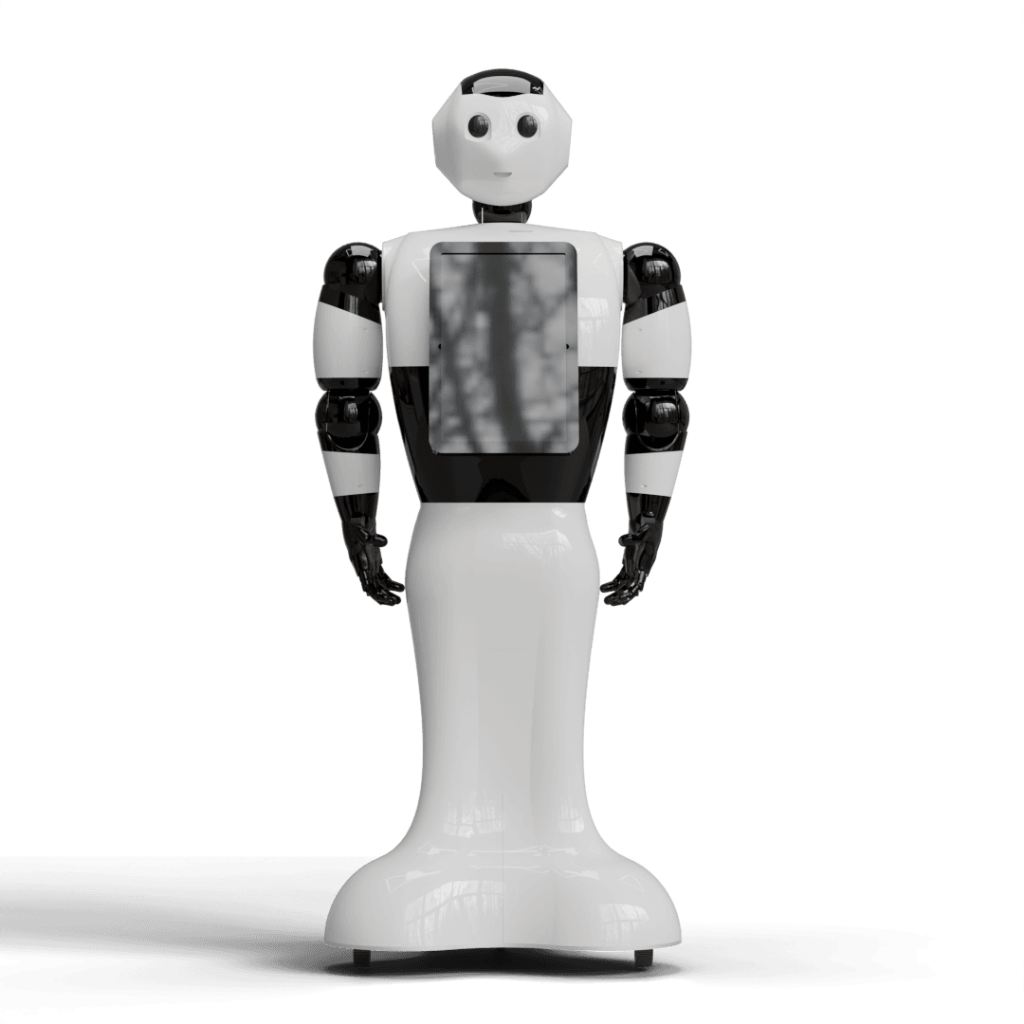
Mid-size humanoid with a built-in 12.1” chest touchscreen running BonicOS. Designed for educational labs, receptions, and interactive kiosks. Supports head animation expressions, motorised wheel locks, and onboard agent conversations.
Variants: S1 Lite · S1 Pro
Primary interface: BonicOS (chest touchscreen) + Controller App for remote control
BonicBot M1
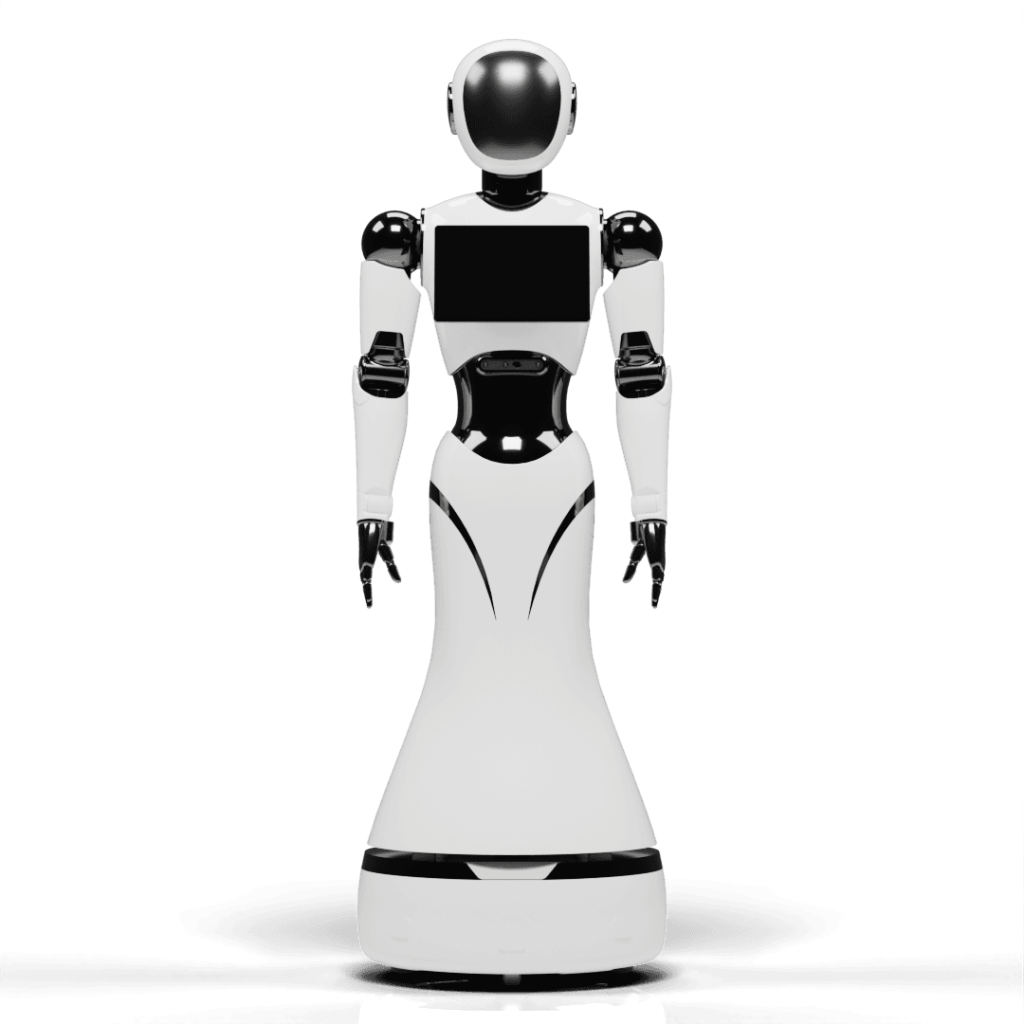
Full-height enterprise humanoid with a 12.1” chest touchscreen running BonicOS. Built for hospitality, corporate lobbies, trade shows, and marketing activations. Supports face-verified agent conversations, marketing showreels, motorised wheel locks, and autonomous wayfinding.
Variants: M1 Lite · M1 Pro
Primary interface: BonicOS (chest touchscreen) + Controller App for remote control
Three interfaces, one platform
BonicBot’s three interfaces work together. Use BonicAI to create and manage robot experiences, BonicOS for on-robot interaction, and the Controller App for handheld control.
| Interface | What it is | Best for |
|---|---|---|
| BonicAI Dashboard | Web app at bonic.ai | Studios, AI agent creation and knowledge bases, motion sequence authoring, navigation maps and waypoints, organisation and robot access management |
| BonicOS | On-robot chest touchscreen (S1, M1, A2 add-on) | In-person AI conversations, authenticated agent access, motion sequence playback, and on-robot control |
| BonicBot Controller App | Android app from Google Play | Remote driving, Bluetooth control, Pro navigation, agent conversations, and A2 STEM tools |
Learn more in the Interface and robot compatibility guide.
Key capabilities
AI agent conversations
Create custom conversational agents on BonicAI, assign them to your robot, and talk through BonicOS or the Controller App. Agents support Standard, Premium, and Edge (offline) tiers with configurable system instructions, knowledge bases, and navigation-enabled commands.
Autonomous navigation (Pro)
Scan a 2D floor plan with LiDAR, save destination spots, and send the robot to named locations by voice or tap. The robot plans a path, avoids obstacles, and reports arrival.
Motion sequences
Record joint poses in the BonicAI sequence editor, assign sequences to actions like Talk and Greet, and play them back over Direct Bluetooth at adjustable speed.
Python SDK
Control any BonicBot model programmatically over WebSocket — drive the base, move joints, read sensors, and integrate with your own applications.
ROS 2 development (A2)
Full ROS 2 Humble stack with Nav2, SLAM Toolbox, Gazebo simulation, and custom world support for advanced robotics development.